Arabic AI voice generator

Arabic Text to Speech in Standard and Egyptian Arabic

TTSLark Arabic text to speech reads your script in Standard or Egyptian Arabic and gives you one MP3 with captions that read right to left. Built for YouTube creators, teachers, marketers and storytellers.

Listen to samples for free. Create audio from your script with a paid plan.

What are you making?

Mood (optional)

We'll choose the tone and pacing for each part.

Arabic voices

Which text to speech Arabic voices can I use?

You can use 29 voices in Standard Arabic and 92 in Egyptian Arabic. Switch dialects, filter by voice, use and pitch, then press play to hear each one before you use it for Arabic text to speech.

What you get

What makes this Arabic TTS fit Arabic scripts?

Three things make this Arabic text to speech fit Arabic work: voices in two dialects, a reading set up for your project and captions that follow your script line by line.

Two dialects to choose from

Choose Standard Arabic for news, lessons and formal narration, or the Egyptian dialect for ads, social videos and friendly explainers.

How the two dialects differ

Standard Arabic is the written language shared across the Arab world, so it suits content meant for every country. Egyptian Arabic is the dialect of everyday speech in Egypt, and every Egyptian voice sample is written in it.


Browse the Arabic voices

Type Arabic the way you write it

Type or paste Arabic straight into the editor. Each line keeps its direction, even with an English name or a number in the middle of a sentence.

Arabic and English in one script

Every line takes its direction from your own text, so a brand name or a price stays where you put it. Every voice also reads the other 39 languages on the site.

See all 40 languages on the AI voice over page

Arabic captions in the same download

Every Arabic voice over comes with SRT and VTT captions timed to the audio and marked right to left for your video editor.

How Arabic captions are built

Captions break at natural pauses and Arabic punctuation, with at most 42 characters a line. Words never split across two lines, and vowel marks never take up room on the line.

See an Arabic caption sample

Emotion tags

How do I add emotion to an Arabic voice over?

Type a tag such as <laugh> or <sigh> in angle brackets right where the moment happens. Tags work in Arabic text to speech the same way they do in English, and the voice performs them as it reads.

<laugh>
A short, natural laugh
<chuckle>
A quiet chuckle
<sigh>
A sigh before the line
<gasp>
A sharp breath of surprise
<cry>
A tearful break in the voice
<breath>
A breath to set up a big line
<pause:2>
A clear pause between lines

Try this in the generator

<gasp> لحظة، هل هذه هي النتيجة النهائية؟
<pause:1> لقد فزنا فعلًا.
<laugh> لا أصدق ذلك. <sigh> حسنًا. نعود إلى التدريب غدًا.

Put each tag just before the words it belongs to. Tags never show up in your captions, so let the script set the mood and save them for the moments that matter.

Arabic captions

Do I get Arabic subtitles with the voice over?

Yes. Every render comes with caption files timed to the audio, so the last line of a long Arabic voice over lands as cleanly as the first.

  • SRT and VTT files with every voice over
  • Lines split at Arabic punctuation such as ، and ؟ or between words
  • Words stay whole, with every vowel mark on its letter
  • Each line is marked right to left for players and editors

Drop the MP3 and the caption file into your editor at the same start point and you are done. For a lesson or an explainer, the captions double as a transcript your viewers can follow.

Make yours with captions
1
00:00:00,180 --> 00:00:02,640
لحظة، هل هذه هي النتيجة النهائية؟

2
00:00:03,700 --> 00:00:05,180
لقد فزنا فعلًا.

3
00:00:06,500 --> 00:00:08,320
لا أصدق ذلك.

How it works

How do I turn Arabic text to audio?

  1. Two microphones side by side, one for each Arabic dialect.STEP 01

    Pick what you're making and a voice

    Choose YouTube, Podcast, Story, Ad or another use. The voices that suit it move to the front, in Standard or Egyptian Arabic.

  2. A page of flowing right to left script with small marks where the voice should pause.STEP 02

    Paste your Arabic script

    Paste the whole script and tap Set up the reading. Each part gets its own tone and pacing, and you can make any part calmer, livelier or slower with one tap.

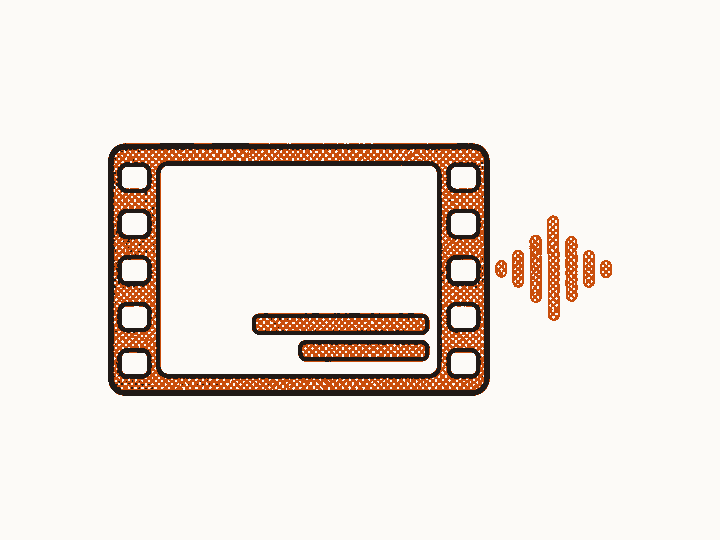
  3. A video frame with a right to left caption bar and a sound wave running alongside.STEP 03

    Download your Arabic voice over

    The MP3 and its Arabic captions land in My Speech, ready for your video. Long scripts keep rendering if you close the tab, so come back when it is done.

Plans

Which plans include Arabic AI voice over?

Starter and Creator both include every voice for Arabic text to speech. One credit covers 400 bytes of script.

Starter

$6.99 a month

100 credits a month

  • All 121 Arabic voices and 1,600+ more
  • A reading set up for what you make
  • Tone and pacing you can adjust part by part
  • One MP3 with Arabic captions for any length
  • Commercial use with no watermark
Choose Starter

Creator

$15.99 a month

300 credits a month

  • All 121 Arabic voices and 1,600+ more
  • A reading set up for what you make
  • Tone and pacing you can adjust part by part
  • One MP3 with Arabic captions for any length
  • Commercial use with no watermark
Choose Creator
See the plans side by side

FAQ

Arabic voice generator questions, answered

  • Which dialects does this text to speech Arabic tool cover?

    Standard Arabic with 29 voices and Egyptian Arabic with 92. Pick the dialect above the voice grid, play a few samples and choose the voice that fits your project.

  • Should I pick Standard or Egyptian Arabic?

    Pick Standard Arabic for news, lessons and content meant for every Arab country. Pick the Egyptian dialect for ads, social videos and a friendly everyday tone. Play a few samples of each before you use them for Arabic text to speech.

  • Can I hear the Arabic voices before I pay?

    Yes. Every Arabic voice has a short sample written in its own dialect, free to play with no sign-up. Tap the play button on any voice card.

  • How long can my Arabic script be?

    As long as you need. A full script goes in as one job and comes back as one MP3 with matching Arabic captions.

  • Can I control how a word is read with tashkeel?

    Yes. Add vowel marks to any word that can be read more than one way and the voice follows them, so كَتَبَ is read as kataba and كُتِبَ as kutiba. Plain text works too, and vowel marks never count toward the 42 character line in your captions.

  • How is Arabic text to speech priced?

    One credit covers 400 bytes of the words that are read aloud. Tone directions and pauses added when the reading is set up are free, and you see the credit cost before you create the audio.

  • Can I use the Arabic voice over in YouTube videos and ads?

    Yes. Commercial use comes with every paid plan. There is no watermark and no attribution line.

By TTS Lark Dev Team · Updated

Turn your next Arabic script into a voice over

Pick a voice, paste the script and get Arabic text to speech with captions in one download.